PDFelement OCR alternative for Arabic, Urdu and Hindi
Pick FastOCR if you need Arabic, Urdu, Hindi, Hebrew or Farsi, or do not want to install anything. Pick PDFelement if you edit PDFs offline on the desktop.
Drop your file here
PDF, PNG, JPG, WebP, BMP, HEIC
PDF up to 1 GB · images up to 20 MB
Tips for a clear photo
- Lay the page flat.
- Use even light, with no shadows.
- Turn off the flash to avoid glare.
- Fill the frame with the page.
Where FastOCR wins
100+ languages, picked automatically
Upload a page in any supported language and FastOCR detects it. There is no language menu to get wrong.
Searchable PDFs that copy correctly in any script
In our tests the text layer copied correctly in 16 of 16 scripts. Arabic, Urdu and Hebrew paste in the right order.
Nothing to install, no sign-up for images
Images need no sign-up: 3 a day as a guest, unlimited with a free account.
Where Wondershare PDFelement wins
Offline desktop editing
PDFelement is a desktop PDF editor with iOS and Android apps, and OCR is built in.
Everything in one app
Edit, annotate and OCR in the same window without sending files anywhere.
A scan in a script many tools skip
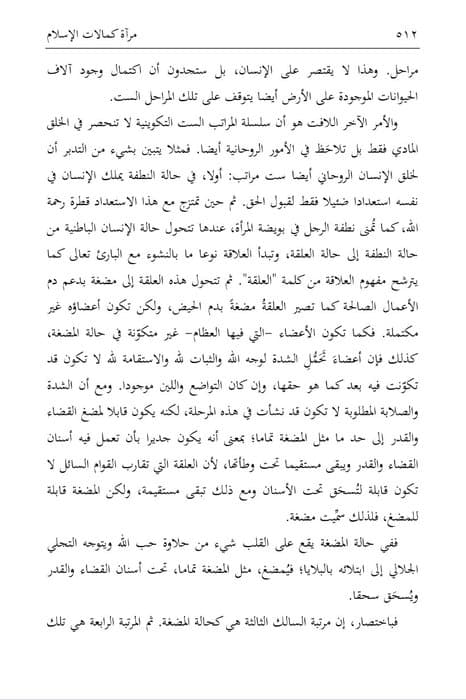
A scanned Arabic book page and the text FastOCR read from it. FastOCR reads 100+ languages, and the searchable PDF carries this text as an invisible layer under the scan.
۵۱۲
مرأة كمالات الإسلام
مراحل. وهذا لا يقتصر على الإنسان، بل ستجدون أن اكتمال وجود آلاف
من
الحيوانات الموجودة على الأرض أيضا يتوقف على تلك المراحل الست.
Unedited OCR output for the top of this page, including its mistakes (مرأة for مرآة, and a stray من on its own line). In the searchable PDF the same words sit in an invisible right-to-left layer under the scan.
- No install
- FastOCR needs no install. PDFelement is a desktop app.
- Searchable PDF
- FastOCR makes a searchable PDF. PDFs use your page quota (50 free pages a month).
- Works in the browser
- FastOCR works in any browser. PDFelement runs as a desktop app.
FastOCR and Wondershare PDFelement, side by side
Wondershare PDFelement facts checked on October 21, 2026. Each links to the page it came from.
Questions about Wondershare PDFelement
Does PDFelement support Arabic OCR?
Its OCR language FAQ names 23 languages and Arabic is not one of them. It says the full list is in the app, so check there.
Is PDFelement OCR built in?
Its OCR page says the OCR is embedded in PDFelement rather than sold as a separate add-on.
Keep reading
Last updated October 21, 2026. Competitor details come from their own pages, linked above, and can change. What published research says about OCR accuracy.