Mac app
FastOCR for Mac: free offline OCR app
FastOCR for Mac is a free OCR app that turns scanned PDFs and images into searchable PDFs and plain text. It runs on your Mac with Apple's built-in text recognition, works offline, and never uploads your documents.
Download for MacVersion 1.0 · 3.6 MB · October 14, 2026 · macOS 13 or later · Apple silicon and Intel · Free
Not notarized by Apple yet: the first time, allow it in System Settings → Privacy & Security → Open Anyway. Steps below.
The app
See FastOCR for Mac at work
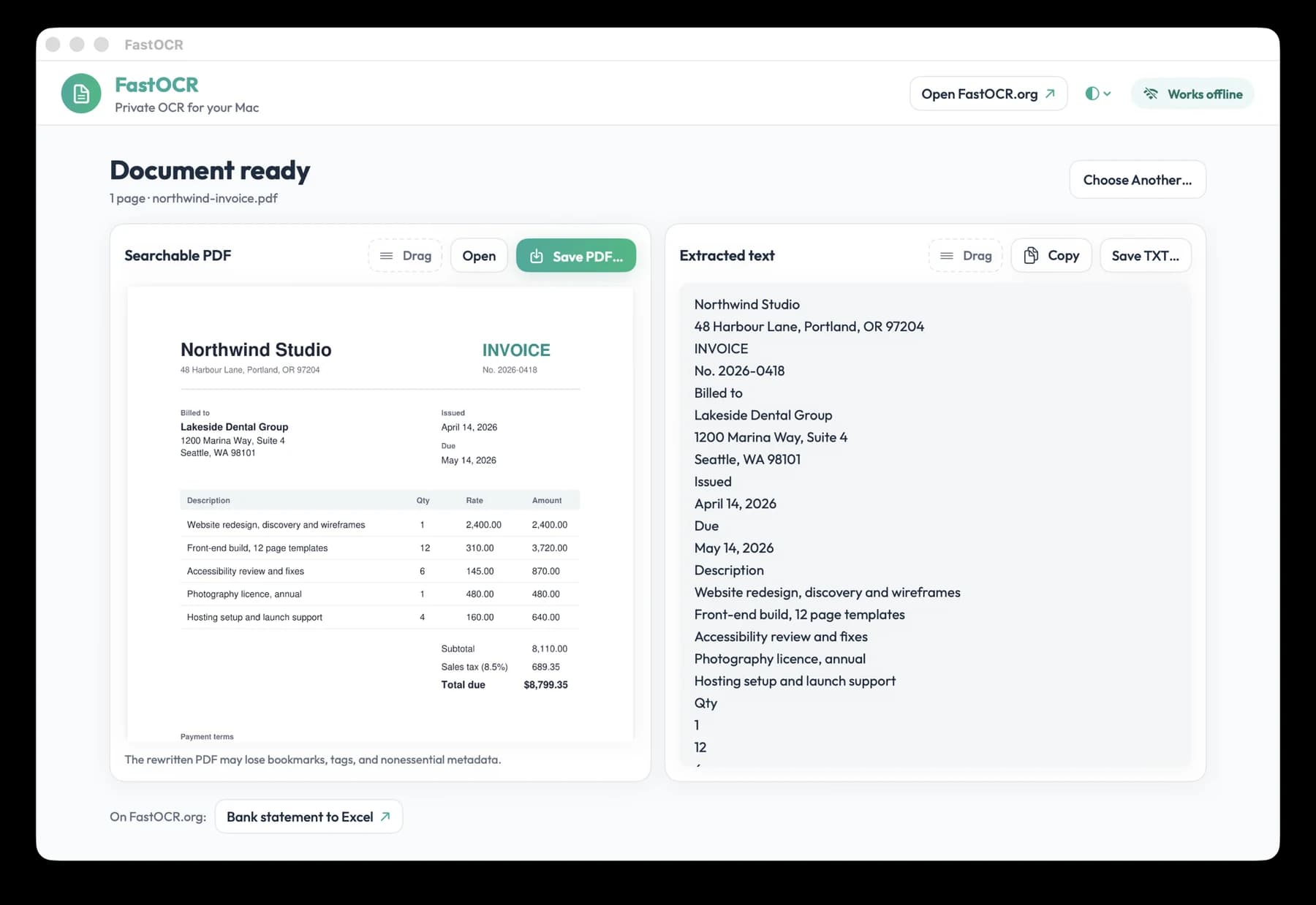
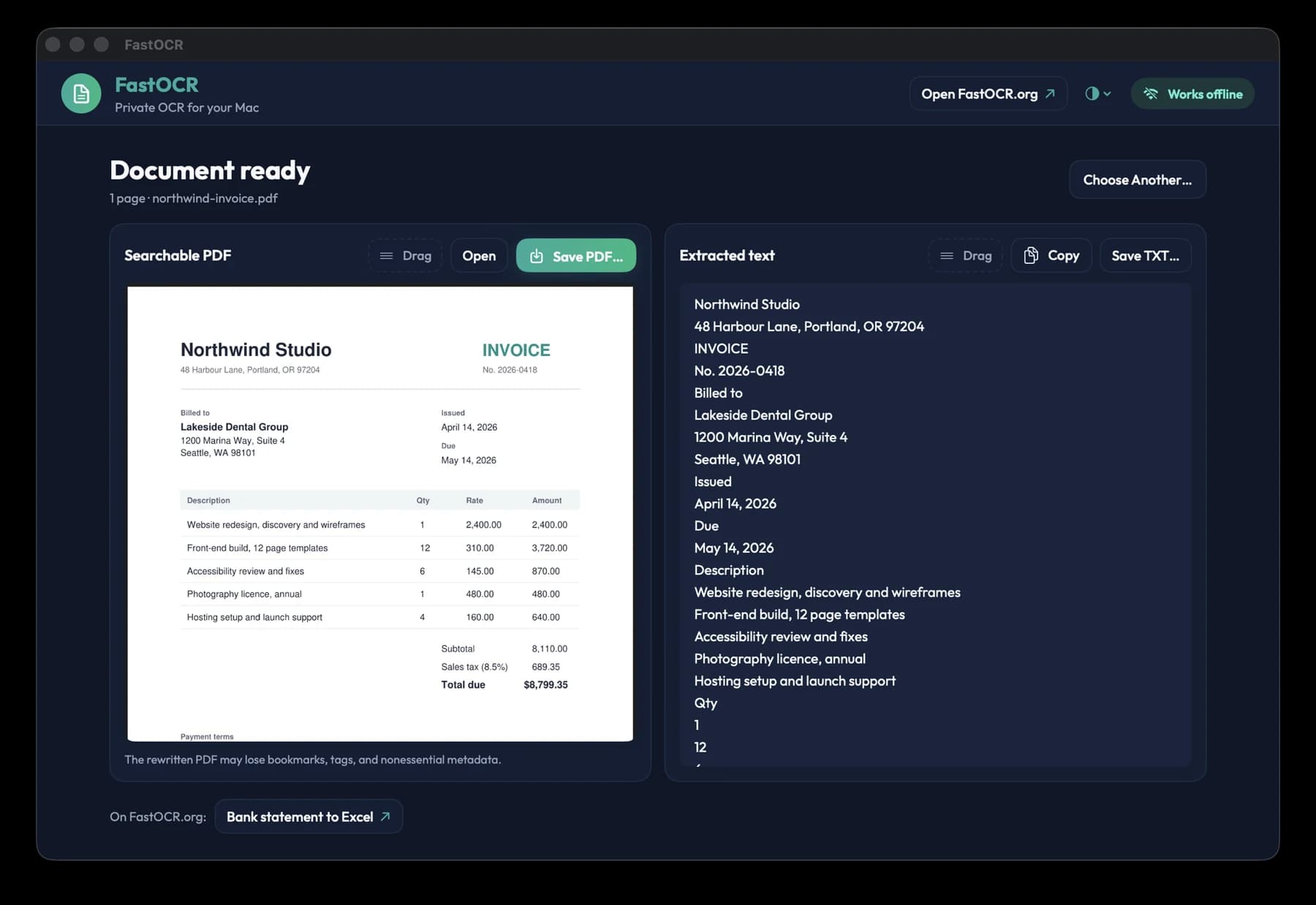
Two screens: drop a document in, get the searchable PDF and the text out.
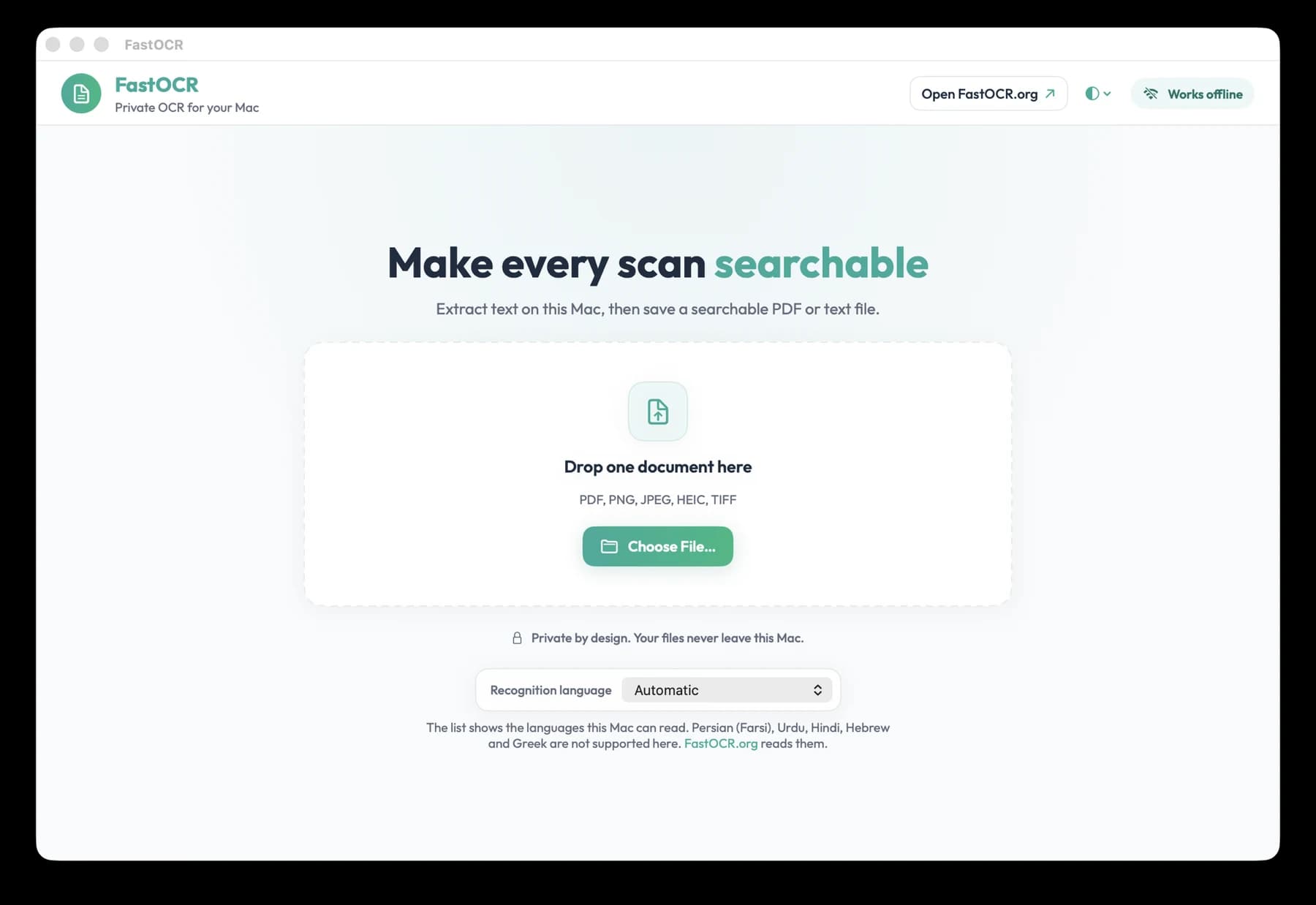
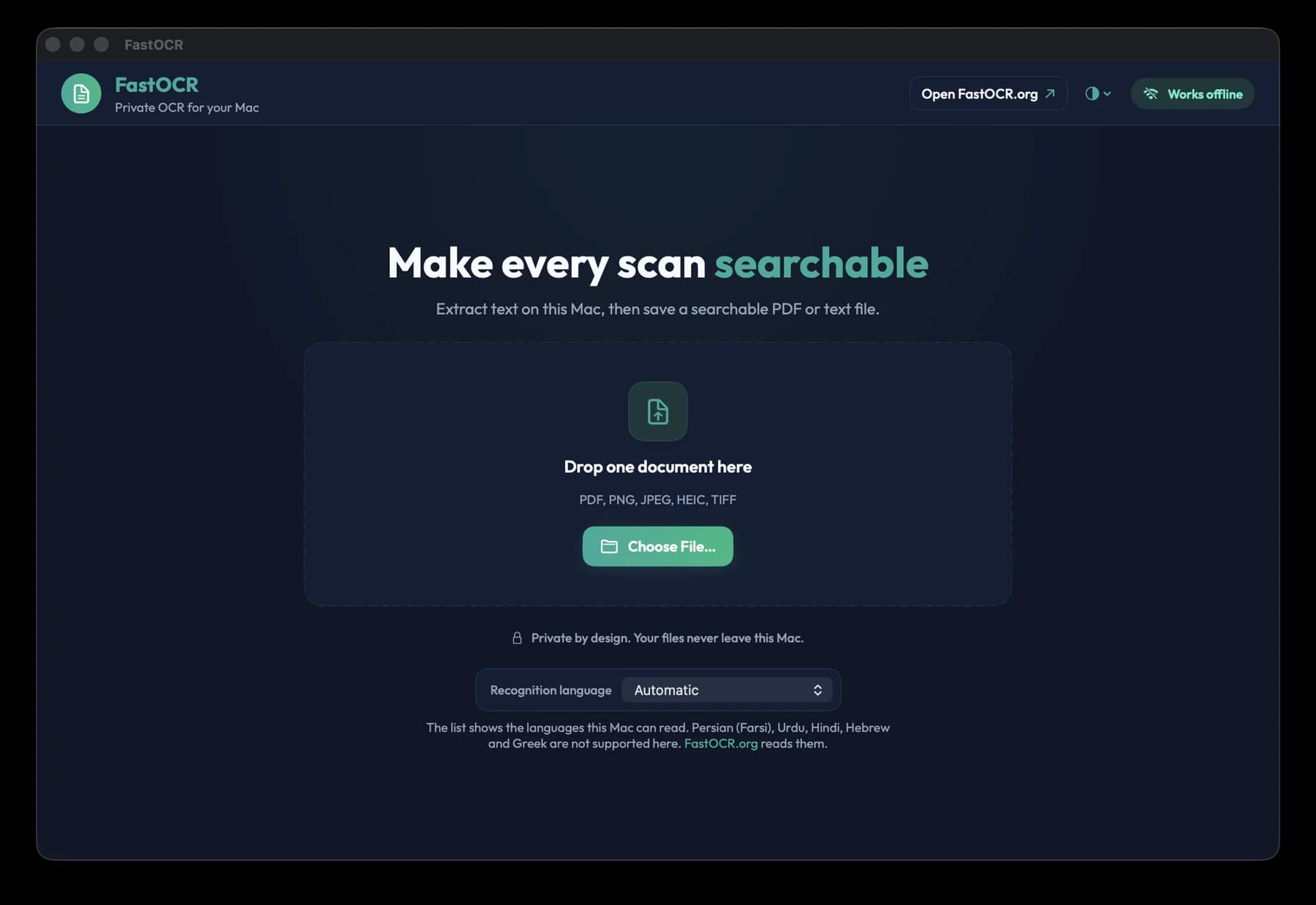
Drop a PDF or image on the window, or choose a file. Pick the recognition language or leave it on Automatic.
Real screenshots of FastOCR for Mac 1.0 reading a sample scanned invoice.
What you get
Offline OCR that stays on your Mac
Offline and private
Documents are processed on your Mac with Apple's built-in text recognition. They are never uploaded. The app connects to fastocr.org only to check for app updates.
PDF and text out
Drop in a PDF, PNG, JPEG, HEIC or TIFF. Get a searchable PDF and plain text (TXT). Save them, copy all the text, or drag the result out of the window.
Apple silicon and Intel
One universal app runs on both kinds of Mac. Free.
The languages your Mac reads
The app shows the list for your version of macOS. How well each one works is below.
Languages
What reads well, and what does not
The app reads whatever your version of macOS can read. We measured these on real documents.
The app uses your Mac's built-in text recognition, so it reads fewer languages and is less accurate than FastOCR online. For hard scans, handwriting, or other languages, use fastocr.org.
- Measured good on real pages
- English, French, Indonesian, Arabic
- Usable
- Chinese (Simplified)
- Weaker
- Japanese
- Not supported
- Persian (Farsi), Urdu, Hindi, Hebrew, Greek
For the other languages the app lists, we have only tested clean printed pages, not real scans.
Need one of the unsupported languages? The web app at fastocr.org reads them: Persian (Farsi), Urdu, Hindi, Hebrew, Greek.
Limits
What the Mac app does not do
- No translation, AI Polish or bank statement extraction. Those are web features.
- A rewritten PDF can lose bookmarks and tags. Your original file is never changed.
Install the beta
macOS will block the first launch
This beta is not notarized by Apple, so macOS stops it the first time you open it. Approve it once and it opens normally after that.
- Step 1Open the disk image, drag FastOCR to Applications, then open FastOCR.
- Step 2
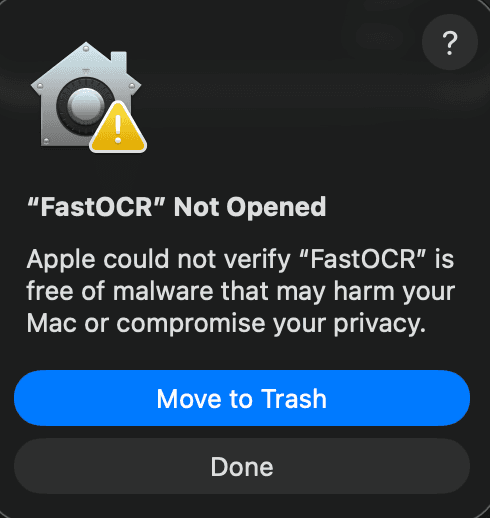
macOS shows a dialog titled “FastOCR” Not Opened. Click Done.
Do not click Move to Trash. It is the highlighted button, and it sends FastOCR to the Trash.
On macOS 13 and 14 this first dialog is worded differently and the second button may say Cancel. Do not choose Move to Trash there either, then carry on with the next step.
- Step 3Open System Settings, then Privacy & Security. Scroll to the bottom and click Open Anyway next to the FastOCR message. Confirm, then enter your password or use Touch ID.
- Step 4FastOCR opens. macOS does not ask again for that copy.
Why macOS warns
The app has not been through Apple's notarization. That needs a paid Apple developer membership, and FastOCR for Mac does not have one yet. The SHA-256 below lets you check that your file is the one we published.
Problems? support@fastocr.org
Check your download
SHA-256 of FastOCR.dmg. Compare it with shasum -a 256 FastOCR.dmg in Terminal.
846bb7a128db7e5c1a96168d2fb41613f92f65624d34c4ccf335f7d4a76c70b1FAQ
FastOCR for Mac questions
Rather work in the browser? Use make a PDF searchable, PDF to text or image to text on the web. On a PC? Get FastOCR for Windows.
Is FastOCR for Mac free?
Yes. FastOCR for Mac is free to download and use, and it does not need an account. This release is a beta. It makes a searchable PDF and plain text from your scans. The web app at fastocr.org is separate, with its own free allowance and paid plans.
Does FastOCR for Mac work offline, and do my files leave my Mac?
Yes. FastOCR for Mac works offline, including making a scanned PDF searchable, and your documents never leave your Mac. Text recognition runs on the Mac itself with Apple's built-in text recognition, so nothing is uploaded. The app connects to fastocr.org only to check for app updates.
Which files and languages can FastOCR for Mac read?
It reads PDF, PNG, JPEG, HEIC and TIFF files and gives you a searchable PDF and plain text. On real documents we measured English, French, Indonesian and Arabic as good, Chinese (Simplified) as usable and Japanese as weaker. Persian (Farsi), Urdu, Hindi, Hebrew and Greek are not supported. The web app reads those.
Why does macOS block FastOCR the first time I open it?
macOS blocks it because this beta has not been through Apple's notarization. That needs a paid Apple developer membership, and FastOCR for Mac does not have one yet. You approve the app once in System Settings under Privacy & Security, and the SHA-256 on this page lets you check your download first.
How is FastOCR for Mac different from the FastOCR web app?
The Mac app reads documents on your Mac and never uploads them. The web app at fastocr.org uploads each document to read it. The web app reads more languages and adds translation, AI Polish and bank statement extraction. The Mac app makes a searchable PDF and plain text, and nothing else.
What does FastOCR for Mac need to run?
FastOCR for Mac needs macOS 13 or later. It is one universal app for Apple silicon and Intel Macs, and the download is 3.6 MB. It uses the text recognition built into macOS, so there is nothing else to install and no internet connection is needed to read a document.
FastOCR
Need more than text and a searchable PDF?
Translation, AI Polish, bank statement extraction, and the languages above are on the web.